
What are the Prettier alternatives and why consider them?
The article outlines reasons for limiting Prettier's usage in the codebase and presents alternative options for enforcing consistent stylistic rules across the project.
I have finally decided to limit Prettier usage as the primary code formatter. I tried to get used to it and gave it several chances, but the way it worked didn’t meet my needs. This article discusses the reasons, shows how you can opt out of using Prettier and what to use instead.
What is Prettier?
A small reminder for those who don't know this tool yet. Prettier is a code formatter that enforces a specific coding style across the project. It simply takes your code and reprints it from scratch, following its rules to ensure consistent formatting. If you're not yet familiar with this tool, take a look at this basic guide where I discuss more 👇
Prettier: The World's Most Stubborn Code Formatter
In this guide, I'll walk you through Prettier - a tool for ensuring a unify coding style across your frontend assets in WordPress projects. I'll explore its perks and drawbacks, guiding you to decide if it's the right fit for you and share my own experiences with it.
Why I Stopped Using Prettier?
Prettier has a specific way of formatting code without much customization. It follows a specific set of rules and doesn't allow much deviation from them. This can be seen as both an advantage and a disadvantage. Check out a few examples below 👇
Reason #1: No Immediate Feedback ❌
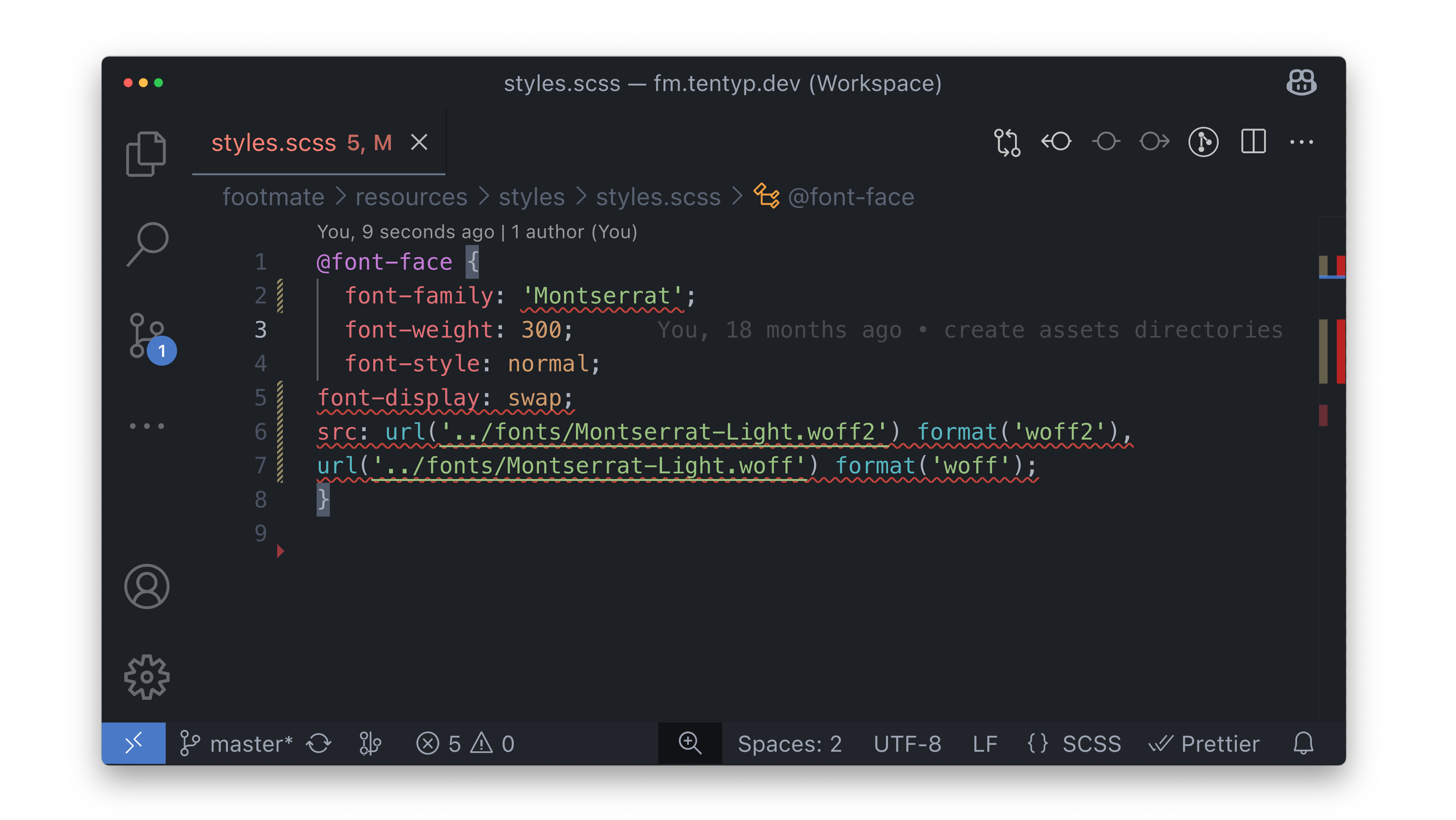
Take a look at the code, which breaks a few rules like incorrect quotes in line #2 and incorrect indentation in lines #5, #6, and #7. One part is handled by Stylelint, the other by Prettier.
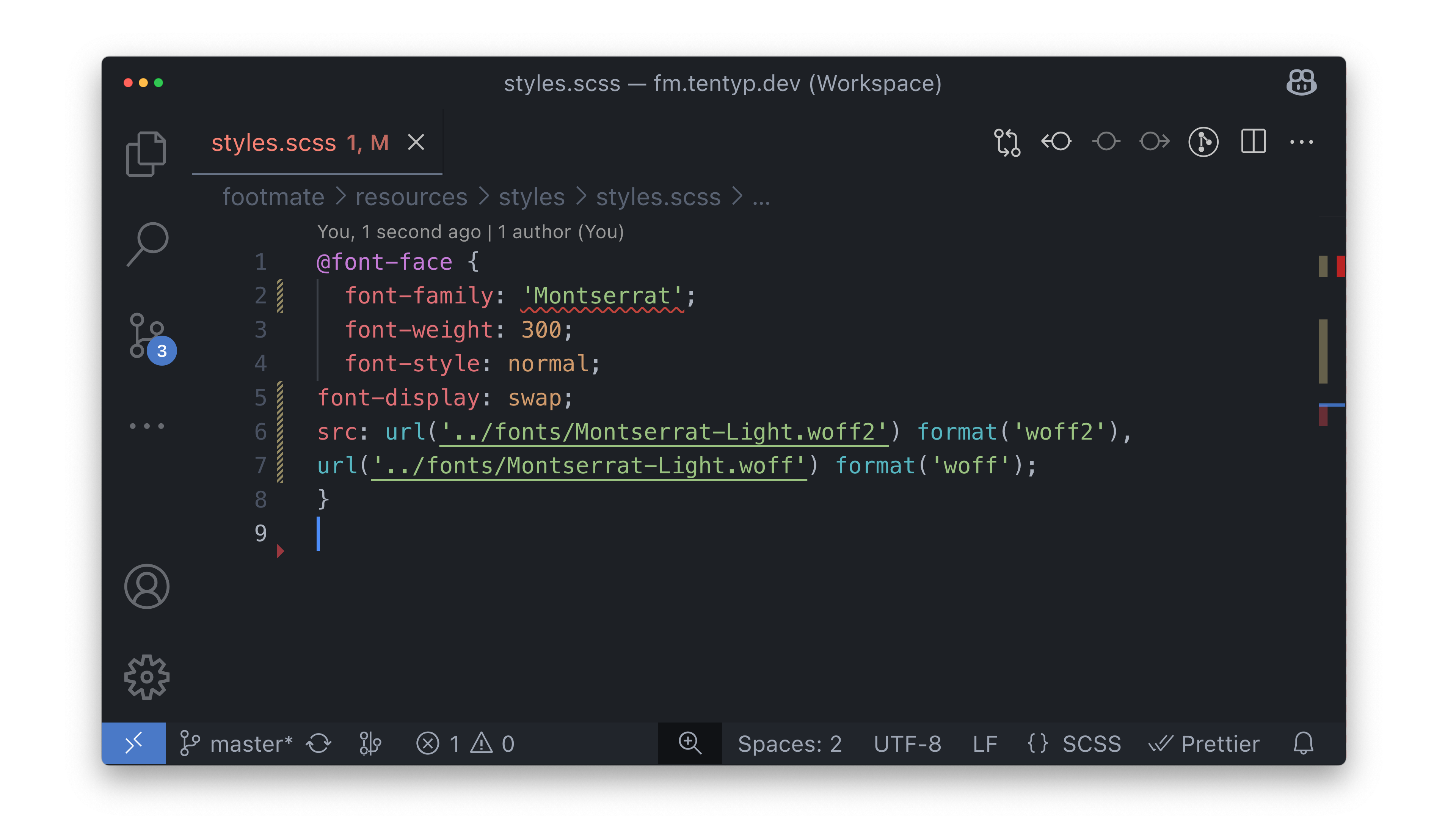
When I use Stylelint with VS Code, it highlights all the violations with exact references just as I write. Similar setup for Prettier doesn't indicate any issues. It's obvious that there are problems with the indentation, but even after making some adjustments, the code still doesn't align with Prettier's rules, and I don't know about this until I trigger code format.
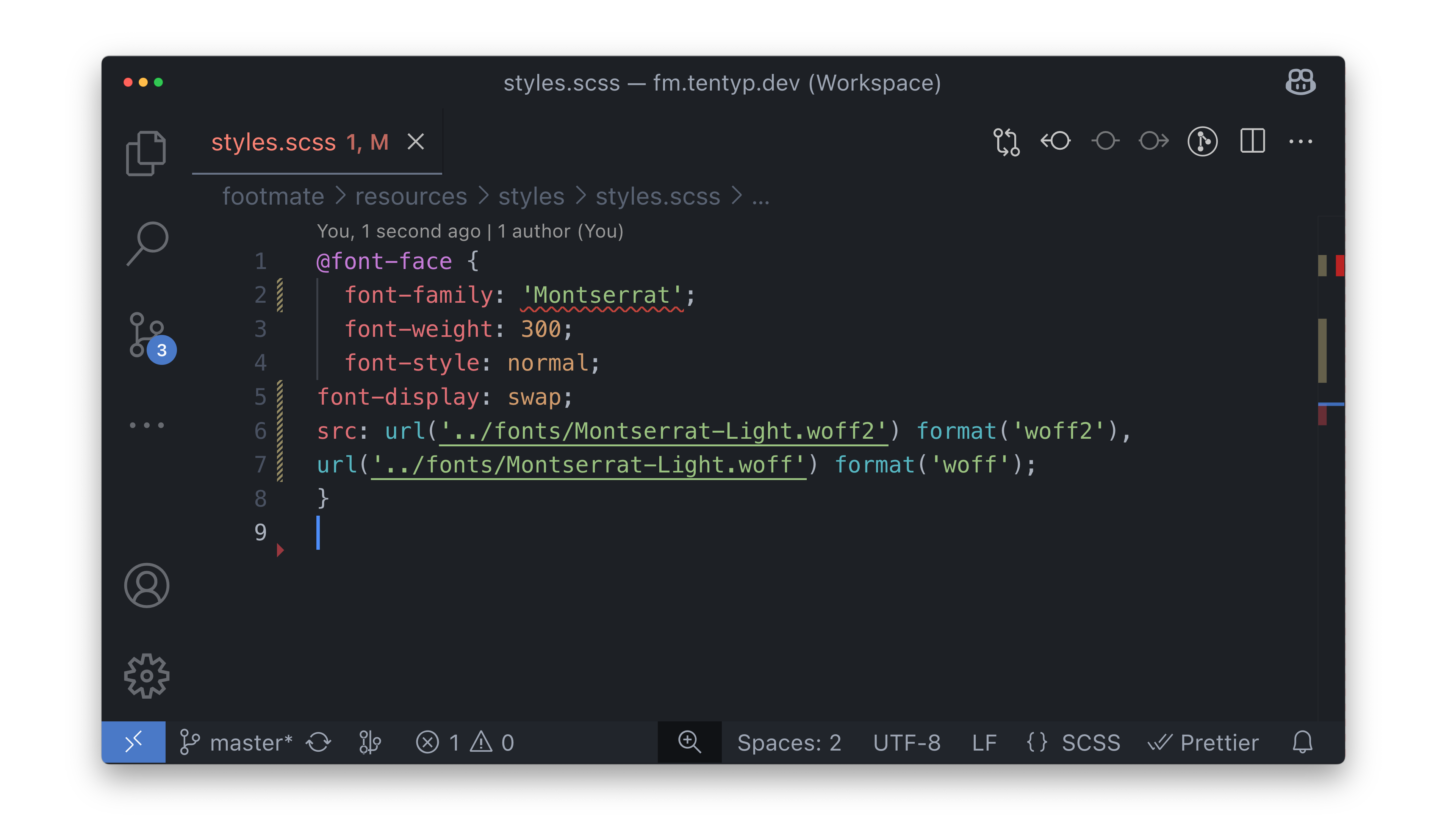
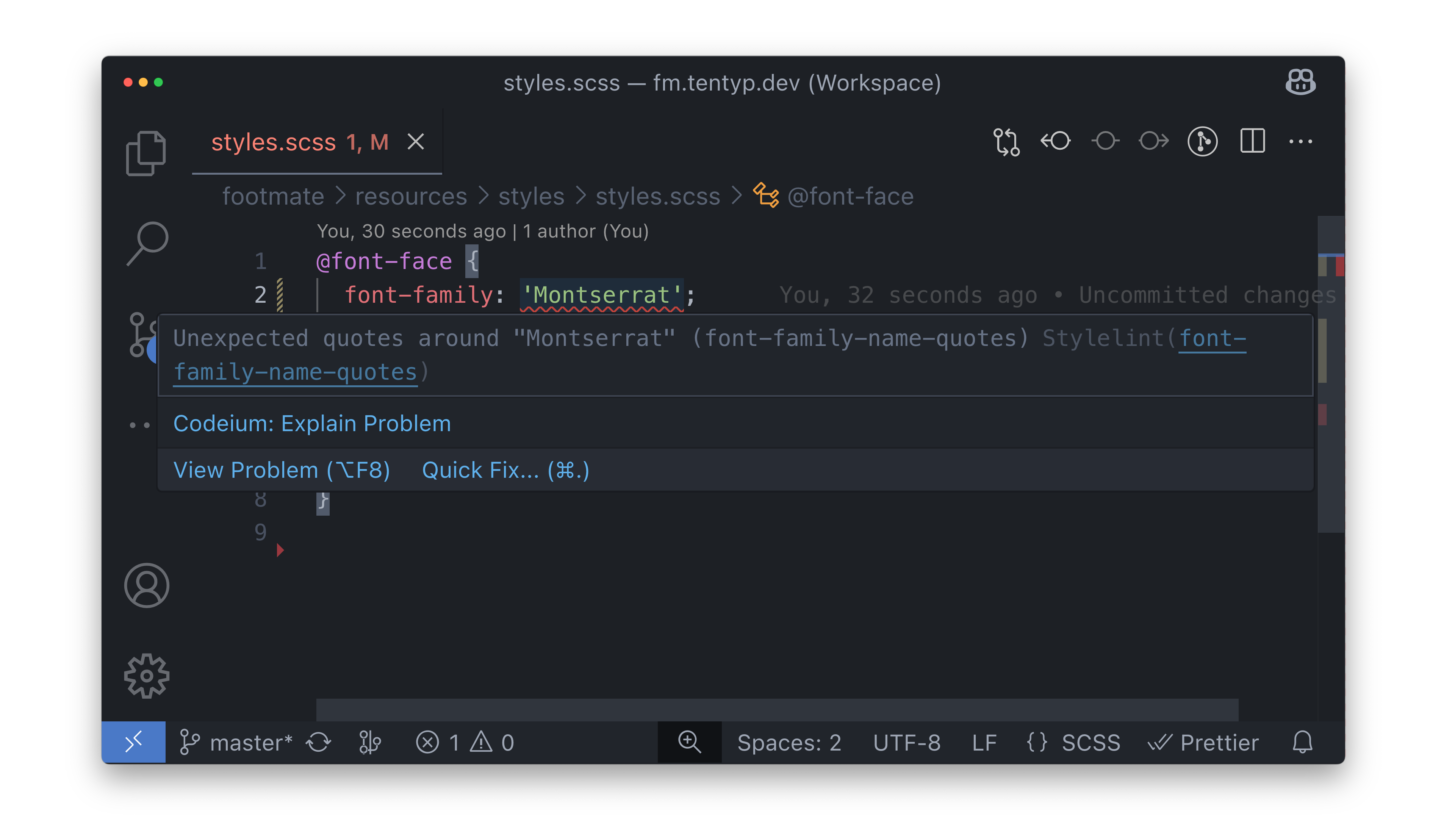
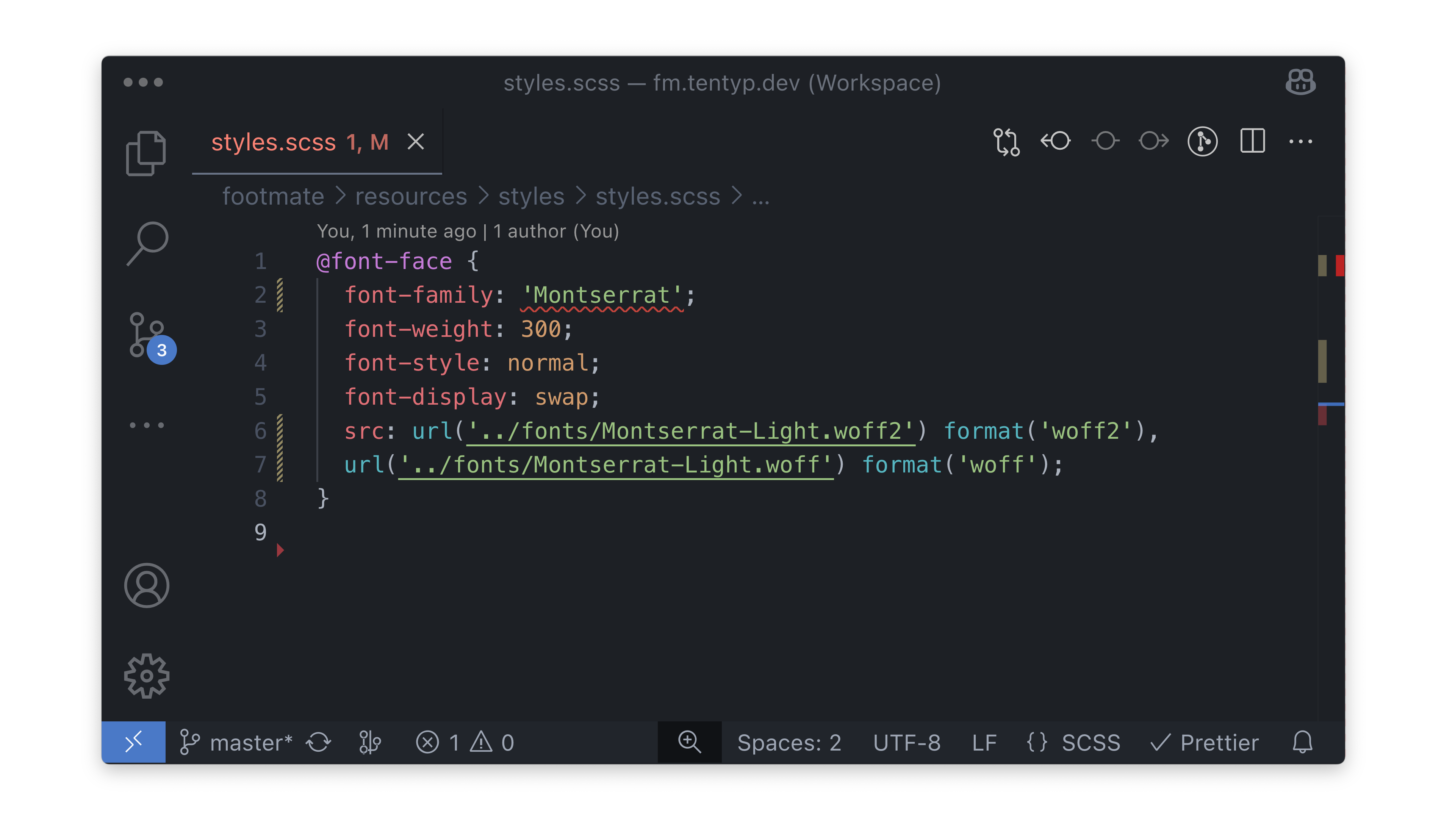
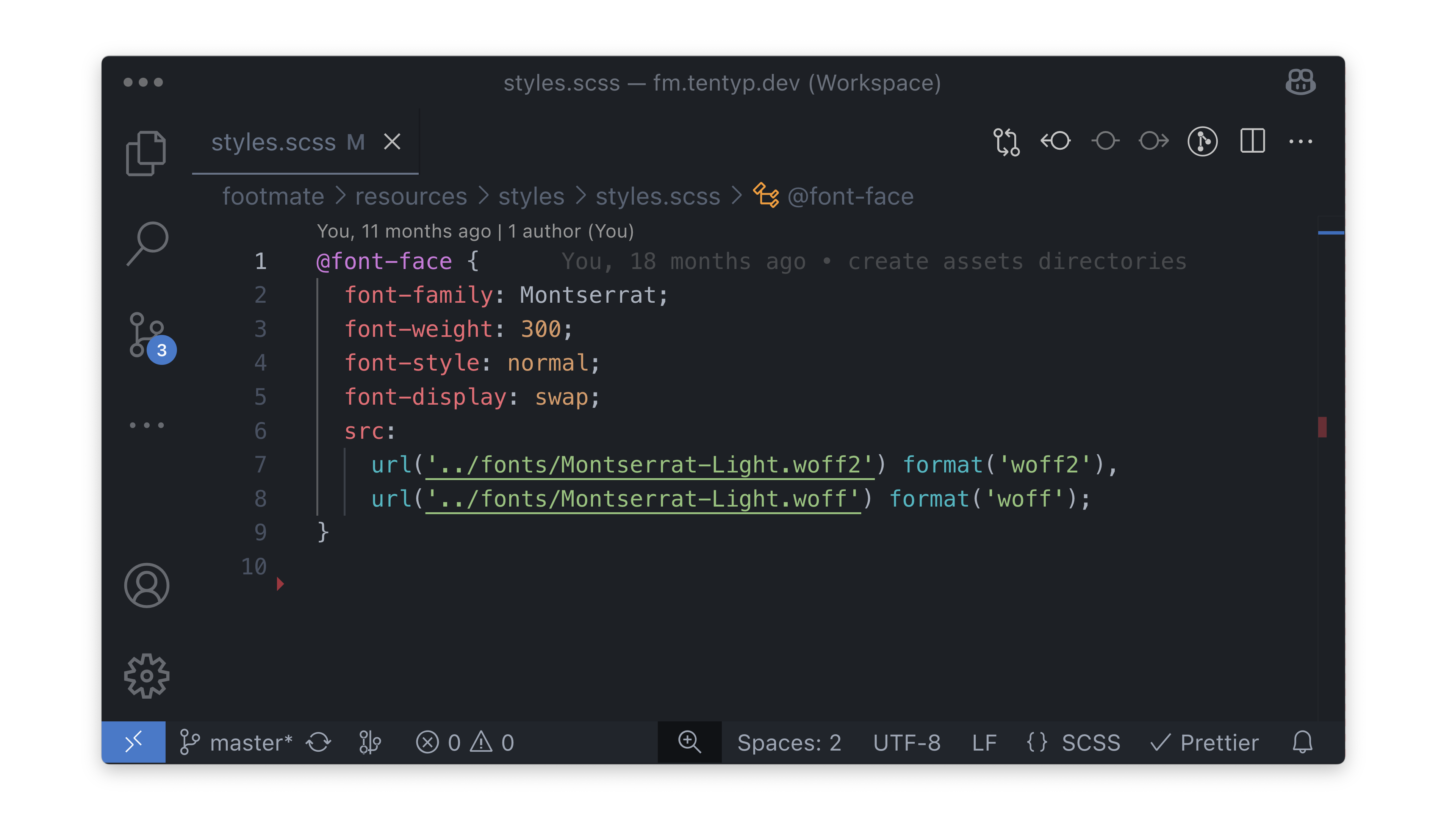
I’m aware that Prettier was created to forget about such things. Automatic fixes, especially with features like "format on save" are amazing, and improve the coding experience a lot, but they can also take away valuable learning opportunities. For those who thrive on detailed feedback to improve their coding practices, seeing each issue as they write is beneficial.
Reason #2: Easier to Forget About Formatting ❌
Without CI/CD processes or integrating tools like Husky, developers must remember to format the code before pushing it to the repository. This reliance on memory is a potential source of the problems and that's why I prefer seeing issues as I write - I can't say "Oh, I haven’t noticed this" when everything is marked with red as it is in Stylelint.
Reason #3: Too Aggressive Style ❌
Prettier's approach includes breaking up lines that exceed a set line length limit. It means that when lines are too long, Prettier will automatically adjust them to fit within the predefined boundary. However, its style checks don't stop there, and the results are not always better.
Take a look at this simple lint-staged configuration file. It has a clear, consistent structure that is easy to read and modify when needed. Essentially, no changes are required.
{
  "*.js": [
    "eslint --fix",
    "eslint",
    "test first",
    "test second",
    "test third"
  ],
  "*.css": [
    "stylelint --fix",
    "stylelint"
  ],
  "*blade.php": [
    "prettier --write",
    "prettier --check"
  ],
}
After formatting the code, I ended up with a file that has inconsistent formatting, which created more problems rather than solving them. Even though the file was initially well-structured and adhered to the line length limits, Prettier modified and compacted the lines.
{
  "*.js": [
    "eslint --fix",
    "eslint",
    "test first",
    "test second",
    "test third"
  ],
  "*.css": ["stylelint --fix", "stylelint"],
  "*blade.php": ["prettier --write", "prettier --check"]
}
Another example involves a component that utilizes an attributes bag. To enhance readability, I split each operation related to attributes, such as class or merge, to separate lines.
<div
    {{
        $attributes
            ->class(['block-carousel not-prose relative'])
            ->merge([
                'x-data' => 'block_carousel',
            ])
    }}
>
    CONTENT
</div>
When I need to add an additional class, I expect the structure to remain consistent. However, Prettier unexpectedly merges everything into a single line, significantly reducing readability.
<div
    {{
        $attributes->class(['block-carousel not-prose relative overflow-hidden'])->merge([
            'x-data' => 'block_carousel',
        ])
    }}
>
    CONTENT
</div>
One more time, I ended up with more inconsistencies and less readable code than before. One component looks one way, while another looks completely different. That's something I definitely wanted to avoid when using linters and code formatters.
Prettier Is Not For Everyone 🫵
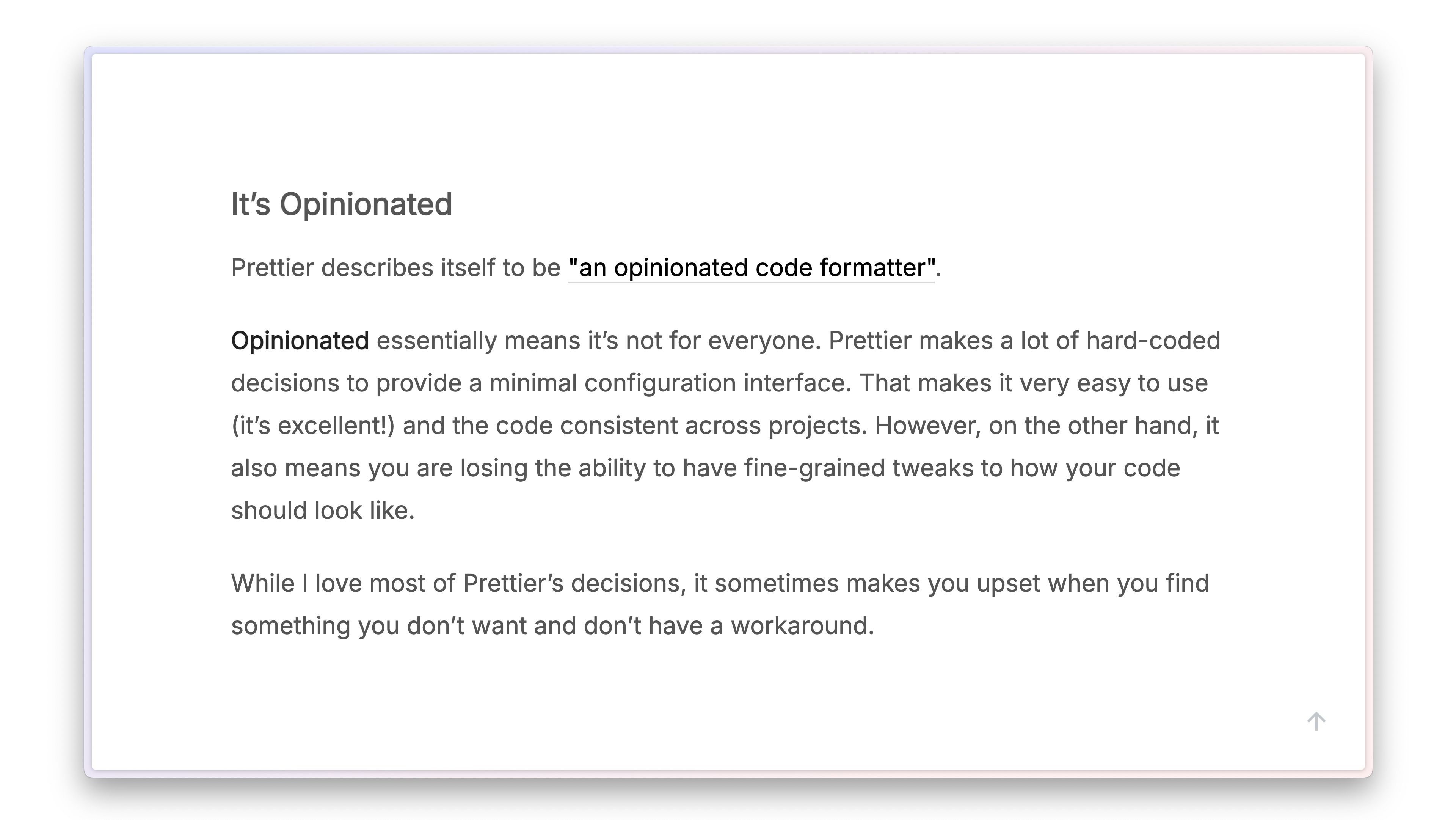
Antony Fu in his article brings similar examples. I agree with the view that Prettier is not for everyone. And it seemed to be not for me. I don't like not having control over things like this. I expect more flexibility, which is why I've decided to stop using it.
Hi Guys! This article is part of a larger initiative I've been recently putting my heart into 👇
I've been working on something I’m really proud of - a new eBook all about code linting and formatting in web development. It’s filled with practical tips to help you set up the project environment so your code stays clean, consistent, and free of those annoying little errors.
The plan is to sell it for $15, but if you're on my newsletter, you’ll get almost 70% discount. Just drop your email below, and you’ll get it for just $5 when it’s ready 🙌
What to Use Instead of Prettier?
Prettier, as the leading code formatter, is gaining significant market traction. It has become so popular that many well-known linters are discontinuing support for stylistic rules and suggest Prettier instead. Fortunately, despite this trend, we are not limited to Prettier alone.
JavaScript | ESLint Stylistic
If you're looking for an easy way to replace Prettier in JavaScript, ESLint might seem like a good option. Unfortunately, in its latest version, ESLint discontinues support for stylistic rules as they don't want to handle them further and recommends using Prettier instead.
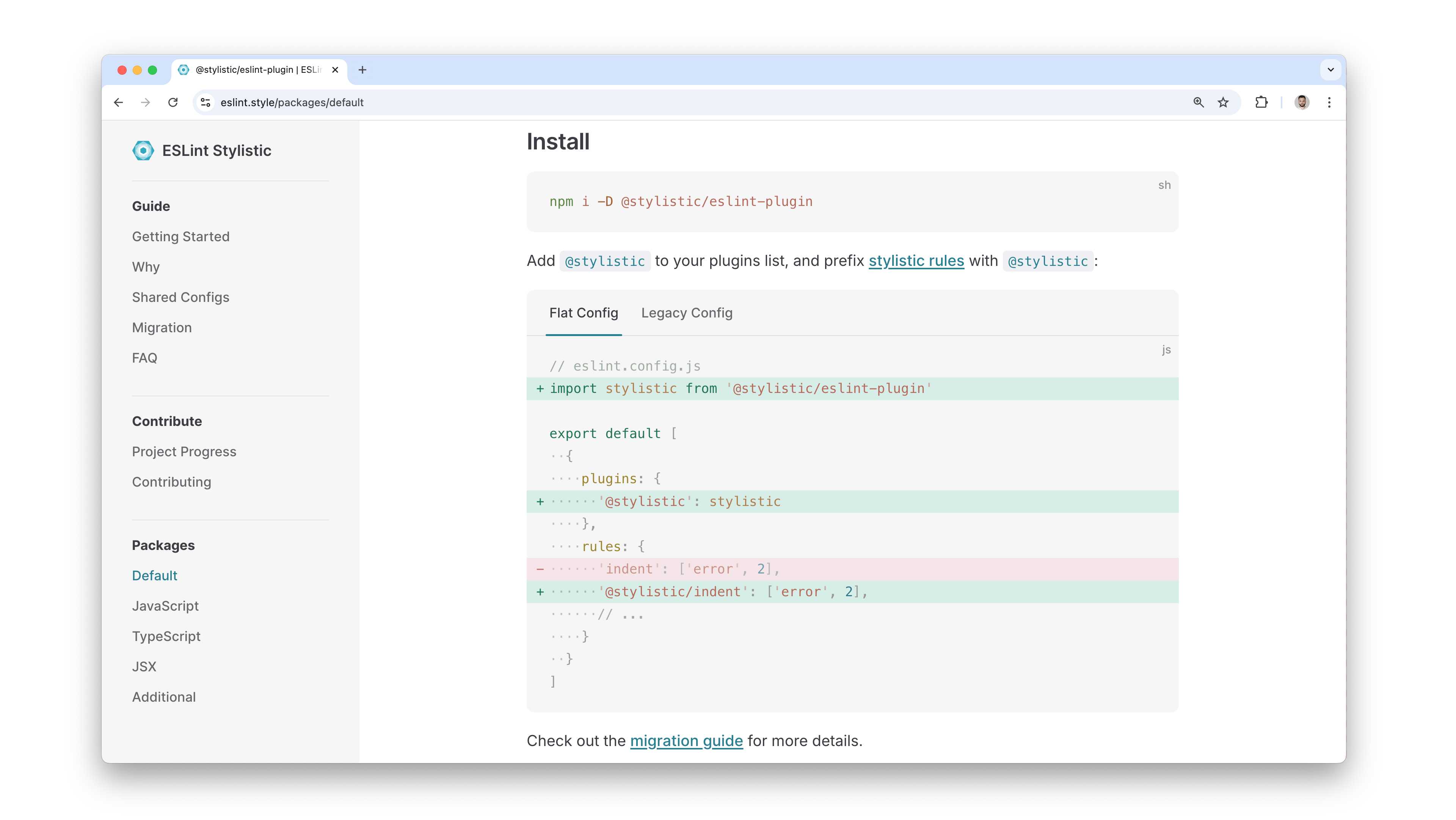
Help comes in the form of ESLint Stylistic. It's a collection of stylistic rules for ESLint, migrated from the ESLint core to shift the maintenance effort to the community.
Install the tool with yarn add @stylistic/eslint-plugin --dev, and set it in the eslint.config.js file. Remember that the stylistic rules now require the @stylistic prefix, so instead of configuring the indent rule, you need to use @stylistic/indent.
SCSS | Stylelint Stylistic
With the release of version 16, Stylelint discontinued support for stylistic rules and suggests Prettier instead. Fortunately, a community plugin has brought these deprecated rules back.
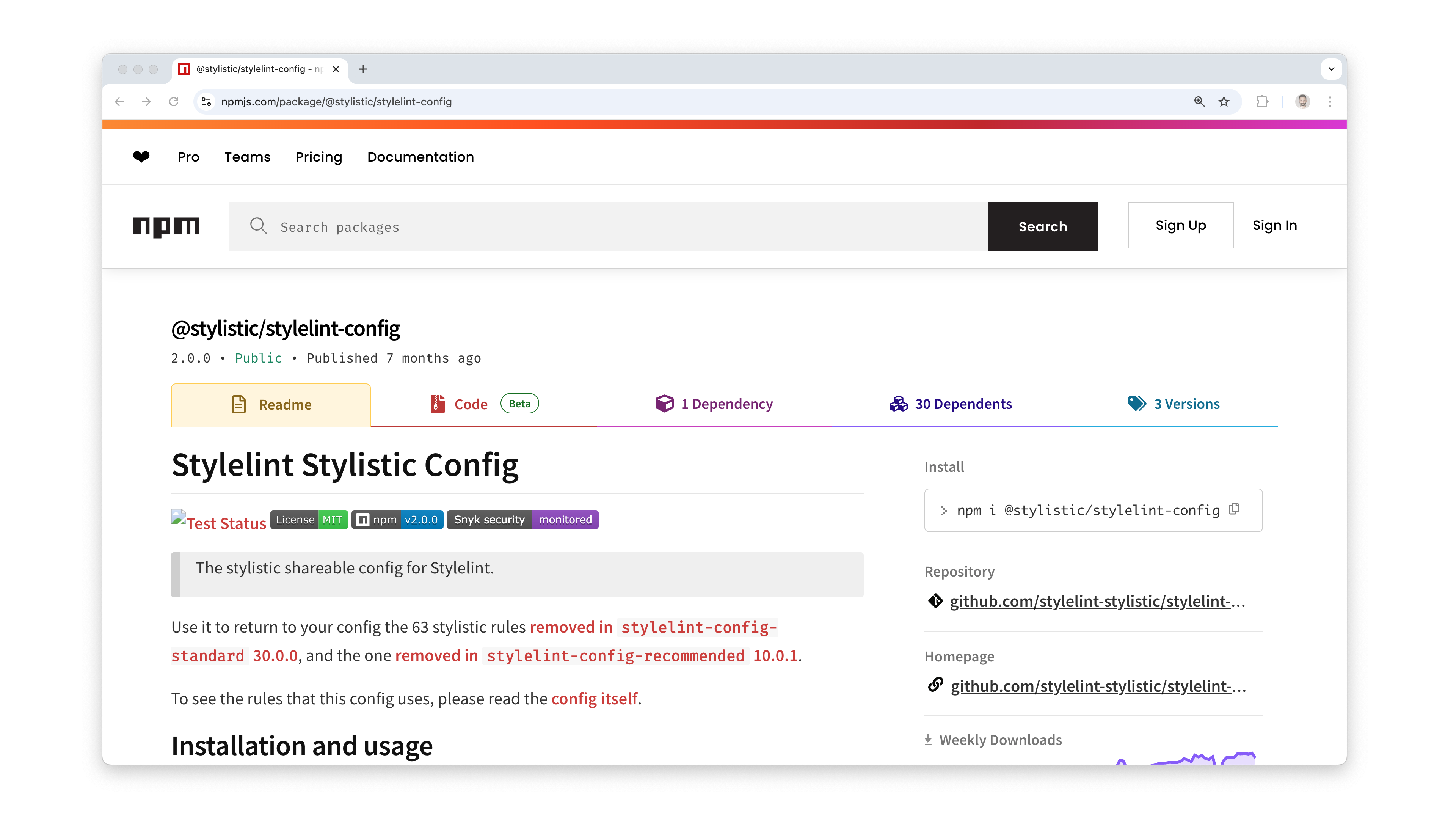
Install the plugin with the yarn add @stylistic/stylelint-config --dev and extend the stylelint configuration with @stylistic/stylelint-config. Once done, stylistic issues such as breaking indentation rules in the CSS or SCSS files are displayed and verified in the reports again.
Blade | Prettier
Blade, the templating system in PHP and an important part of the workflow, but doesn't have a dedicated tool for verifying code style. While phpcs is the closest tool to fulfill this role, it doesn't fully support this format. In such situations, Prettier fits well.
It does not have built-in support for the Blade format, but you can work around this by installing an additional extension with yarn add prettier-plugin-blade --dev command and configuring it in the .prettierrc file to handle style fixes there.
{
  "singleQuote": true,
  "singleAttributePerLine": true,
  "plugins": ["prettier-plugin-blade"],
  "overrides": [
    {
      "files": ["*.blade.php"],
      "options": {
        "parser": "blade"
      }
    }
  ]
}
So, is it worth completely giving up on Prettier? Despite the catchy title, I would say no, because any validation is better than none. Therefore, when using formats that don't offer linters, such as Blade, JSON, or even plain text files, Prettier is still a solid choice.
When Do We Use Prettier at Coditive?
In our daily work, we primarily use Prettier as a last resort when we need to quickly organize code and there are no other ways to rapidly resolve the issue. However, in most cases, we opt for tools that better meet our needs, such as phpcs, ESLint, or Stylelint.
PHP Code Sniffer: In-Depth Tutorial for Developers
Learn how to integrate PHP Code Sniffer into your development workflow and create coding standards tailored to your needs. Discover how it works, from its core functionalities to its integration with Visual Studio Code and don't miss any problems ever again.
ESLint: Setting Up From Start to Finish
In this article, I'll discuss ESLint, the tool that ensures your JavaScript code remains consistent and clean. I'll guide you through setting it up, customizing its behavior, and integrating it with Prettier and VS Code.
Stylelint: CSS Linter You Must Know As A Frontend
Let me show you Stylelint, a tool for anyone working with CSS or SCSS, making sure the code doesn't go off the rails. It identifies errors, and rule violations, suggests fixes, and sometimes solves issues for you.
Thank you so much for joining me in today ❤️ Your support means a lot to me, and it keeps me motivated to create more content. If you enjoyed this video, please consider subscribing to the channel and giving it a thumbs-up - it really helps spread the word. And if you need developers who truly care about quality and delivering great results, visit my company’s site: coditive.com or contact me with the form below. Thanks again and see you next time!

Looking For a Developer Who
Truly Cares About Your Business?
My team and I provide expert consultations, top-notch coding, and comprehensive audits to elevate your success.
Feedback
How satisfied you are after reading this article?